 82/100
Free4.7
Fruit Ninja®
The definitive mobile time-waster that turned a simple swipe into a global phenomenon.
Fri May 26 2017
This app has been updated by Apple to prepare for watchOS 27 compatibility. No new features are included.
Ensured that app works well with latest version of iOS
Ensured that app works well across all iOS devices
Minor bug fixes and improvements

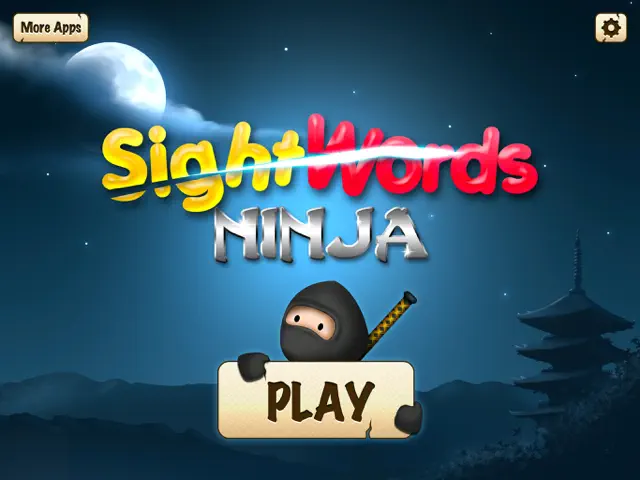
Sight Words Ninja takes the addictive hook of classic swipe-slicing arcade titles and applies it brilliantly to early reading education. Instead of stopping action to correct mistakes, the game maintains a fluid pace that keeps young children engaged while reinforcing sight, sound, and word recognition.
The extensive customization options elevate this app above typical educational games. Parents and teachers can toggle specific grade levels, record custom audio clips, and adjust gameplay speed to match any child's learning pace. It is an effective, high-energy reading tool that kids genuinely enjoy playing.
Covers core sight words from Preschool through Grade 3
Dynamic difficulty scaling across Easy, Medium, and Hard modes
Customizable word lists and custom audio recording support
Immediate retry mechanics without game-interrupting error screens
Designed for young learners with simple touch controls
Navigate to the settings menu to enable or disable specific word groups ranging from Pre-K to 3rd grade to match the learner's current level.
Set difficulty to Easy, Medium, or Hard to alter word movement speed and the maximum number of targets on screen simultaneously.
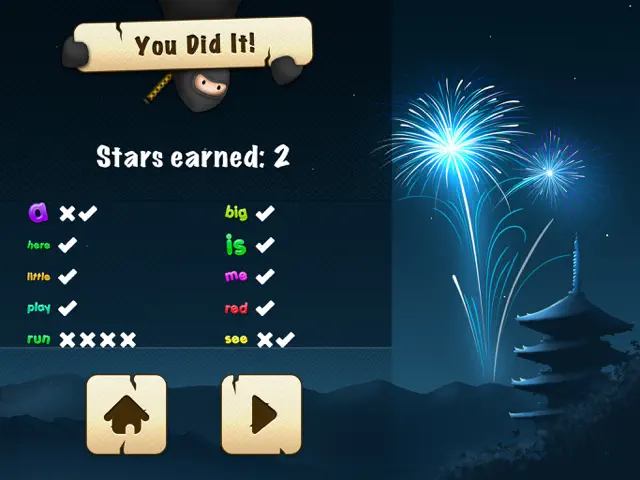
Slice correct target words as they fly across the screen while listening to clear audio pronunciations.
Parents and educators can record custom voice audio for any word in the curriculum.
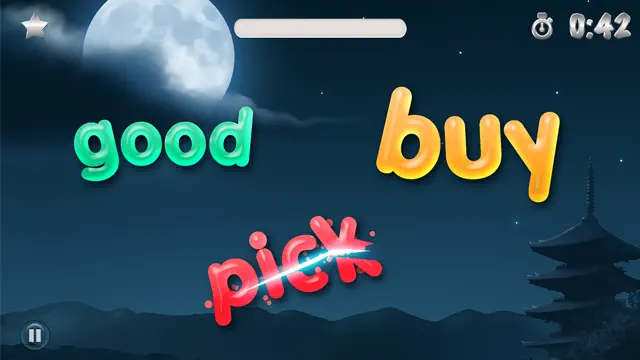
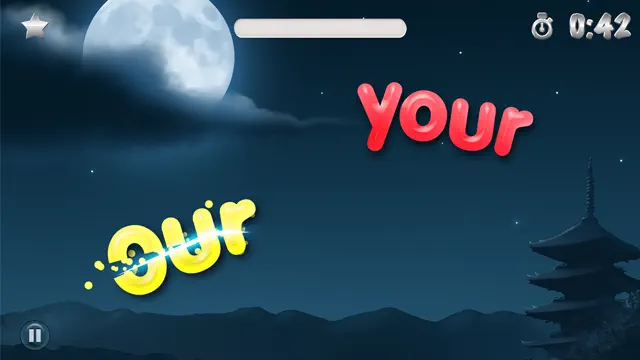

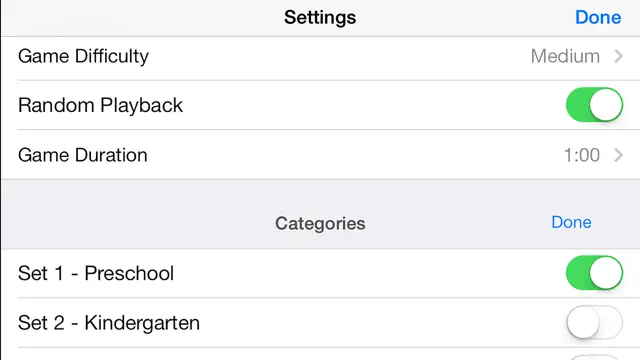


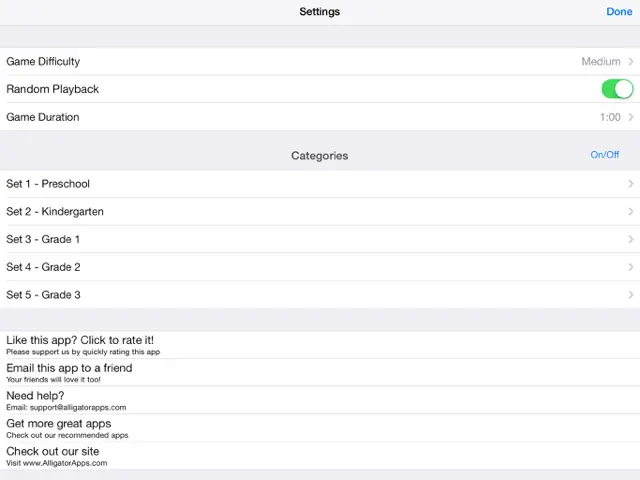
Yes, parents and teachers can record custom audio for any sight word in the app's settings.
I like that I can choose which words I want my child to work on. My children like this app and it seems to be helping. The only thing I wish is that the word would be 100% visible all the time, what I mean by that is sometimes when the word comes up it is to far to the right or left that half or sometimes most of the word can’t be seen. Seeing the entire word and hearing the word is very important for my child to recognize it and reinforce what we have worked on with flash cards and reading. I would have given the app a 5 star rating if my child saw the entire words 100% of the time. Maybe an update will be able to fix this.
I know it’s only $1.99 but it is a waste of $$$. The only good thing about it is the concept. My child was totally into it. However, the app works by the narrator reading each word and the kid just slices the word. My child just swiped all the words as fast as she could. There was no word repetition or word grouping. This does not help a kid retain the info. Also, as another reviewer stated, you cannot turn words off without clicking each word or an ability to set the level of the “reader”. The only way we were able to make it work was to turn the sound off and I said my child could not swipe until they read the word correctly. This required me to be by their side the whole time. May as well just buy flash cards! Clearly this was not developed by an actual educator! Great concept but terrible execution.
I just downloaded this app to augment my pre-K daughter’s memorization of her sight words before kindergarten. I’m disappointed because the lists are quite limited and missing a large percentage of the words they need to know by the end of kinder. I am going to send a request to the developer to add the missing words for us. Better yet, I’d like to have the ability to add my own words! One more small annoyance, but real, is that the words are not in alphabetical order. This makes selecting individual words that you want your child to work on more cumbersome and time consuming than it needs to be. All told, it’s $2 bucks, so it did not break the bank...but it could be much better, with ease.
The sound works fine. My iPad was muted. If you have this problem google the issue or: Open Control Center. If you have an iPad without Face ID, you open Control Center by swiping up from the bottom, but if your iPad does have Face ID, swipe down from the upper right corner. Look for the mute button. It's muted if it's highlighted, just tap it once to unmute the iPad. The mute button looks like a bell (it might have a slash through it on some iPads) Otherwise the app is better than sight words cards and other games we’ve tried. My son is 6, and he hates this less than my other efforts. I can also see see how it can be redundant. But again, so are flash cards.
The words that come in from the sides never completely make it on to the screen. If the child can't see the whole word it defeats the purpose of the game. Other than that the app functions well, and my daughter loves it.
I read the reviews, crossed my fingers, and hoped I wouldn’t be one of the unlucky few without sound.... and found that there was no sound, so you don’t know which words to slice! I went through & meticulously followed the troubleshooting. No luck. I immediately emailed the company and got a response about a week later with the same troubleshooting cut & paste they posted in their review responses. I replied back asking for a refund and it’s now 2+ weeks later. If you can’t fix the bug, at least honor a refund request!
This is one of the worst apps I have come across. What a waste. The words don't always come all the way out from the edges, and you can keep moving you fingers across the screen and it just goes on. Slicing nothing and it will give a score. What is supposed to be learned ??? Sight words that never come all out on screen and slice or move finger over screen to what purpose if it just goes on. If you want to have your child learn sight words find something better than this and do not get this one.
This is a neat concept. I hope over time my 4 year old will get something from it. It is frustrating that the app’s sound only works some of the time so she isn’t hearing what the words are. Wouldn’t recommend it as a learning app for this reason.
82/100The definitive mobile time-waster that turned a simple swipe into a global phenomenon.
 78/100
The gold standard for educational apps—it’s actually well-made and genuinely charming.
 76/100
An exceptionally customizable and effective handwriting practice tool for young learners.