Versa Squabble Duo
Flip tiles. Steal words.
Ratings
N/A
Age
13+
Category
Games
Languages
English
Tue Nov 17 2026

Versa Squabble Duo is a fast-paced word-building game from developer Cynthia Vergara Isip, made for solo players, friends, couples, and families. Letter tiles are revealed on the board, and you race to spot words before your opponent does. The twist is the steal: any word already claimed stays in play, and you can take it by combining all of its letters with available tiles and rearranging them into a new, valid word. Simply adding an S does not count, so you have to transform the word. You can play three ways: offline against a Beginner, Intermediate, or Advanced computer opponent, face-to-face on one iPhone or iPad with controls oriented toward each player, or online in a private two-device game started from a shared link, with optional one-to-one voice communication. You can set the minimum word length from 3+ to 7+ letters, choose the claim-time limit, and play with randomly rotated tiles that mimic physical letter pieces facing different directions. Words of seven or more letters earn a bonus, and a match history tracks your completed games. The game is a one-time $4.99 purchase with no account, no advertisements, and no subscriptions. It collects no data, supports Family Sharing, and is rated 13+ because of its online chat and messaging features.
Dinsun Expert Review
Our Expert Score
Word games tend to fall into two camps: the quiet, solo puzzle and the loud, competitive scramble. Versa Squabble Duo clearly wants to be the second kind, and the pitch is easy to like: flip tiles, spot words, and steal what your opponent has already claimed. That steal mechanic is what makes it more than another anagram app. Because claimed words stay on the table and can be rebuilt into longer ones, the board is never settled, and a lead can vanish with one clever rearrangement. It is the same tension that makes physical tile games fun, adapted well for a touchscreen.
The part I appreciate most is how deliberately the claim flow is designed. Tapping I FOUND A WORD lets you start selecting letters immediately, a short countdown gives you a chance to hit CANCEL CLAIM, and then it simply proceeds with no second confirmation. Tapping the assembled word to lock it in, using CLEAR to start over, and the I CAN'T FIND THE WORD escape hatch all show a developer who has thought about how real matches go wrong: fat-fingered taps, bluffs, and moments when you thought you had something and did not. Speed-based word games often feel clumsy on touch, and this one looks built to avoid that.
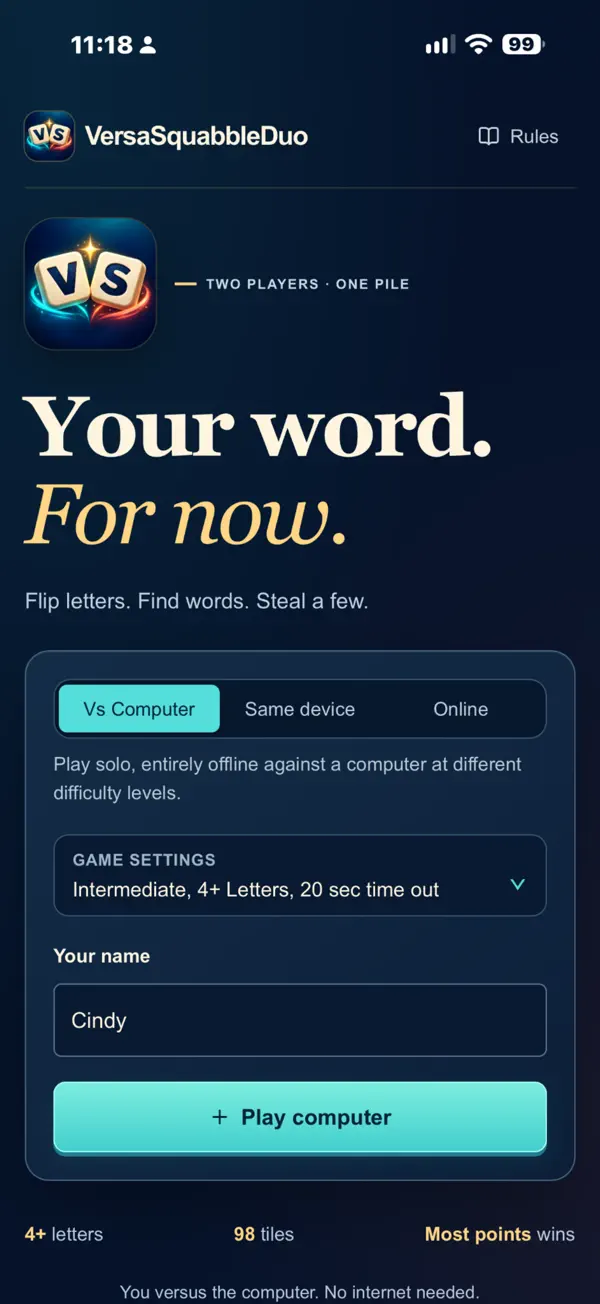
The three modes cover nearly every situation. Vs Computer works offline at Beginner, Intermediate, and Advanced levels, so it is a good place to learn and a reasonable solo option. Same Device mode, with controls oriented toward each side of the screen, turns a phone or tablet into a small tabletop game, which is ideal for couples, parents, and friends at a cafe. Online play is limited to a private two-device match started from a shared link, with optional voice communication. That is a sensible choice for a game named Duo: no matchmaking lobbies or strangers, just you and someone you know.
The customization options give it real longevity. Minimum word length runs from 3+ to 7+ letters, the claim-time limit is adjustable, and a bonus for words of seven or more letters rewards ambitious play. The randomly rotated tiles are a smart touch, because they recreate the awkward, slightly disorienting feel of letter pieces facing different directions and make spotting words a bit harder than reading a neat grid. A match history lets you look back on completed games.
The business model is a clear plus. At $4.99 it costs more than many casual games, but you get no ads, no subscription, no account, and no data collection according to the developer's privacy label, plus Family Sharing for up to six people. In a category crowded with ad-supported clones, that is a refreshing deal. The 13+ rating is explained by the online chat and messaging features, so parents of younger kids should keep that in mind.
The main caveat is that the app is brand new. The page does not yet show enough ratings to give an overview, and the listing suggests it is best with a friend, so your enjoyment will depend partly on whether you have a regular opponent. Solo players will get value from the computer modes, but the steal mechanic shines when a real person is across the table. Casual players may also find the higher word-length settings demanding.
Overall, Versa Squabble Duo is a thoughtful, polished-sounding take on competitive word-building, with a distinctive steal-and-transform hook, flexible rules, and a fair price. If you enjoy tile games and have someone to play with, it is easy to recommend. This review is based on the App Store listing and the developer's description of the game.
Features
Flip letter tiles and race to claim words
Steal an opponent's word by rearranging it with new tiles into a longer valid word
Three play modes: Vs Computer, Same Device, and Online
Offline play against Beginner, Intermediate, or Advanced computer opponents
Private online matches for two players via a shared link, with optional one-to-one voice communication
Choose a minimum word length from 3+ to 7+ letters
Adjustable claim-time limit
Cancel Claim countdown to undo accidental taps
Randomly rotated tiles that mimic physical letter pieces
Bonus for words with seven or more letters
Match history for completed games and results
No account or login required
No ads and no subscriptions
Family Sharing for up to six family members
No data collected, per the developer's privacy label
Available for iPhone and iPad
Tips & Walkthrough
Start by picking how you want to play. Vs Computer is fully offline and offers Beginner, Intermediate, and Advanced opponents, so it is the best place to learn the rules. Same Device puts one iPhone or iPad between two players, with controls oriented toward each side of the screen. Online lets you invite a friend to a private two-device game through a shared link, with optional one-to-one voice communication. Before the match starts, set your minimum word length (3+ through 7+ letters) and the claim-time limit. Shorter minimums keep the pace quick and casual, while 5+ or longer makes the game a real vocabulary test.
When you spot a word in the flipped tiles, tap I FOUND A WORD and begin selecting letters right away. A brief countdown starts, and during it you can tap CANCEL CLAIM if you pressed by accident. Otherwise the claim continues automatically, with no second confirmation. As you select tiles, your word is assembled below the board. Once it forms a valid word of the required length, the assembled word becomes tappable, and you tap it to claim it. If you picked the wrong letters, tap CLEAR and start again. If you cannot find the word you had in mind, tap I CAN'T FIND THE WORD to end the attempt.
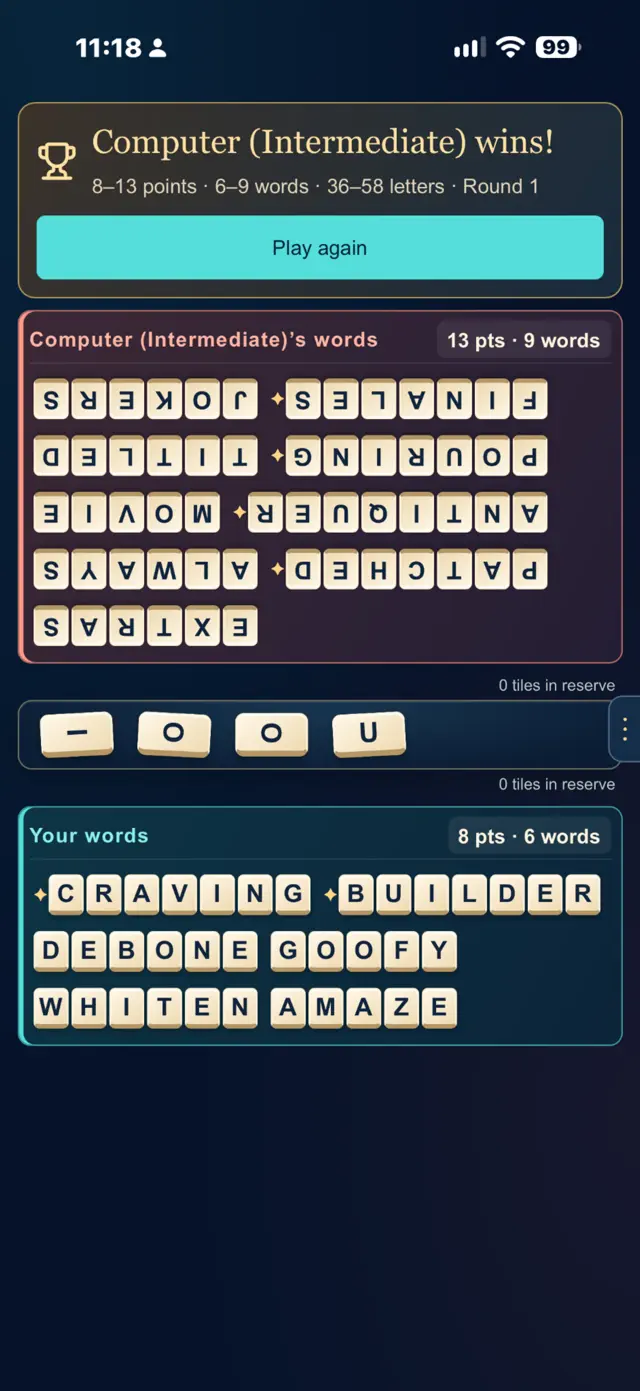
Claimed words stay on the board, which is where the game gets its edge. To steal one, use every letter of the existing word plus one or more available tiles, then rearrange them into a new valid word. For example, a short word can become a longer anagram once you add the right tile. Merely adding an S to the end is not allowed, so look for real rearrangements. Stealing is usually the strongest move because it adds to your score and takes away your opponent's.
Keep flipping tiles, claiming, and stealing until the match ends, then check the result in your match history. Words with seven or more letters earn a bonus, so a long steal near the end can swing a close game. After each match you can raise the minimum word length or move up a computer difficulty level to keep the challenge fresh.
Gameplays
Solo play against Beginner, Intermediate, or Advanced computer opponents works entirely offline, which suits commutes and flights. Beginner is good for learning the claim flow, while Advanced rewards a wide vocabulary and quick pattern recognition.
Place one iPhone or iPad between two players and play across the screen. Controls are oriented toward each side, so neither player has to read tiles upside down. It works well for couples, parents and kids, and quick matches at a table.
Send a friend a shared link to start a private game on separate devices, with optional one-to-one voice communication. Online play needs an internet connection and is limited to two players, which keeps matches focused and personal.
Pick a minimum word length from 3+ to 7+, set the claim-time limit, and choose a computer difficulty. Randomly rotated tiles recreate the feel of physical letter pieces facing different directions, which makes spotting words trickier. Your completed games and results are saved in your match history.
Screenshot




Q&A
It is a word-building game for two players where you flip letter tiles, find words before your opponent, and steal claimed words by transforming them into longer ones.
It is a one-time $4.99 purchase with no advertisements and no subscriptions.
Yes. Vs Computer and Same Device modes work offline. Only online matches need an internet connection.
You must use every letter of an already claimed word, combine it with available tiles, and rearrange the letters into a new valid word. Simply adding an S to the end is not allowed.
No. You can start playing without registration or login. Online matches are started by sharing a private invitation link with a friend.
The App Store listing notes frequent contests and messaging and chat features, which come from the online mode with optional voice communication.
It runs on iPhone and iPad and requires iOS 17.0 or iPadOS 17.0 or later. It also lists support for Macs with an Apple M1 chip or later and for Apple Vision.