SmoothTrack: Head Tracker
Head tracking for sim games
Ratings
Age
4+
Category
Simulation
Languages
English
Sat Oct 25 2025
2.01
- New App Clip for trying out a simplified version of SmoothTrack with yaw axis tracking!
- Fixed QuickViews not persisting between app launches
- Fixed eye tracking settings not persisting between app launches
- Fixed AirPods Pro mode to work whether or not tracking was set to on. Added a button to show the AirPods Pro mode capability.
2.0 was a HUGE update of SmoothTrack:
* Brand new and improved UI, rewritten from the ground up to be 93% less ugly!
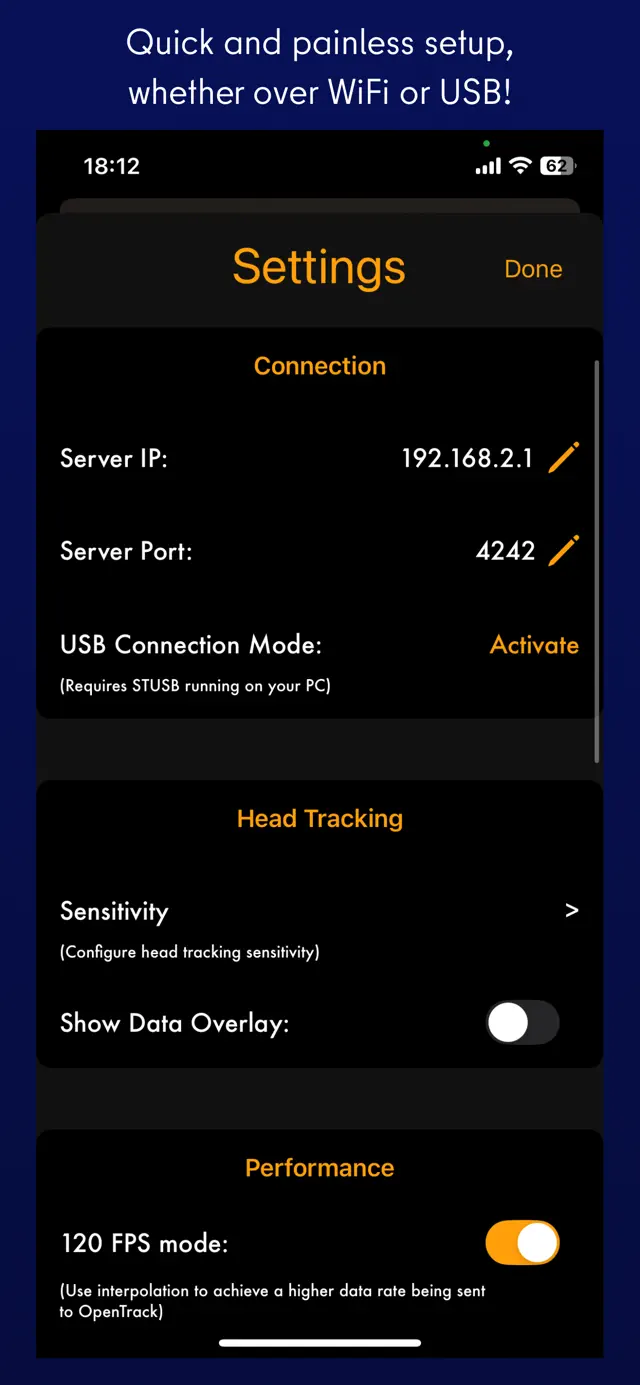
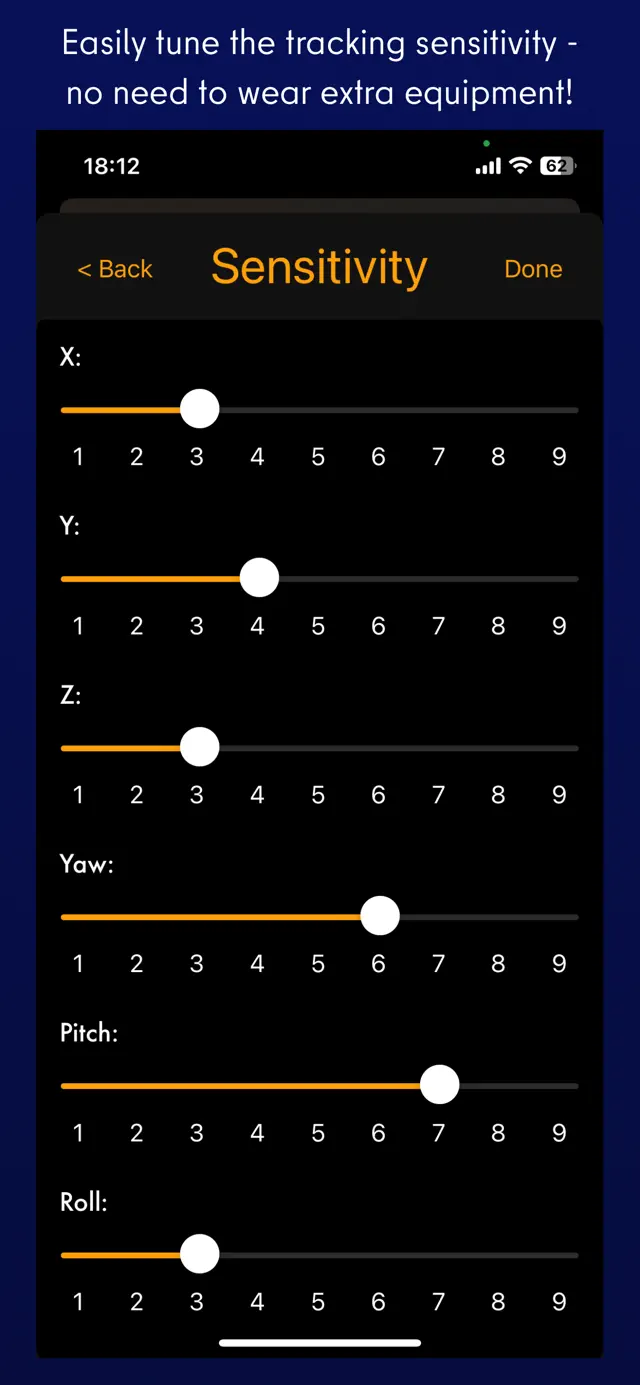
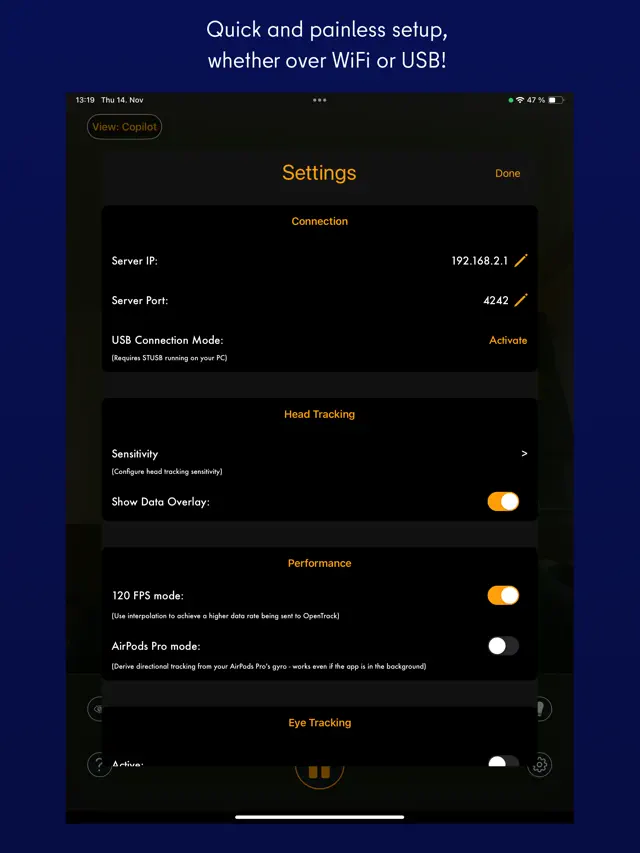
* Added eye tracking capabilities for nudging the view when glancing around! Activate eye tracking by tapping the eye button, and set up eye tracking sensitivity in the settings.
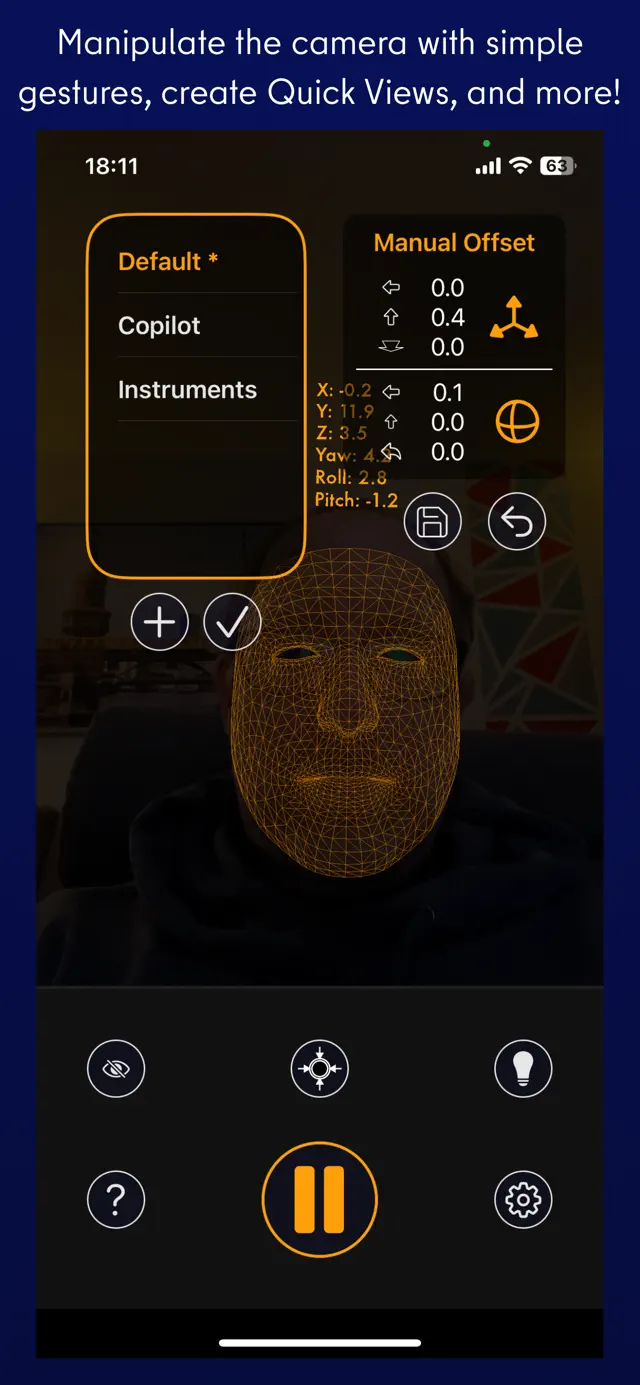
* You can now easily create camera offsets with camera control gestures: panning with one, two, or three fingers on the screen.
* Easily save, choose, and delete offset quick views right on the main screen.
I really hope you enjoy SmoothTrack! If you do, you can support it by leaving an App Store review and by spreading the word to your sim communities!
Join us on Discord https://discord.gg/smkbp6p and let me know if you have any feedback or run into any issues. Thanks!

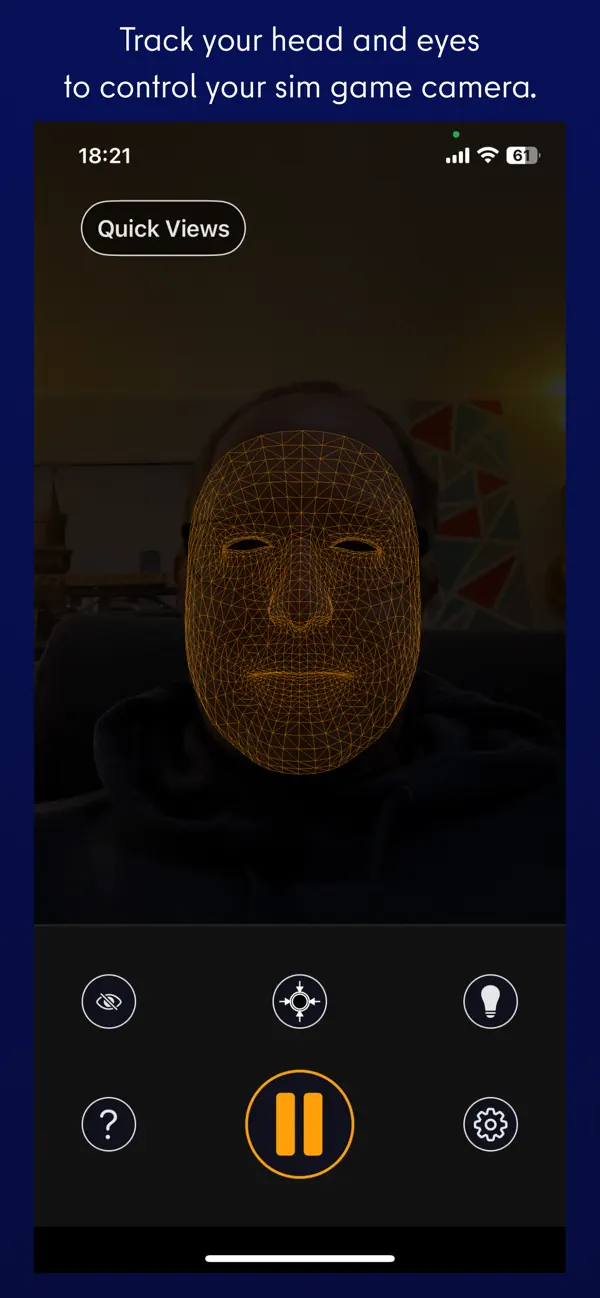
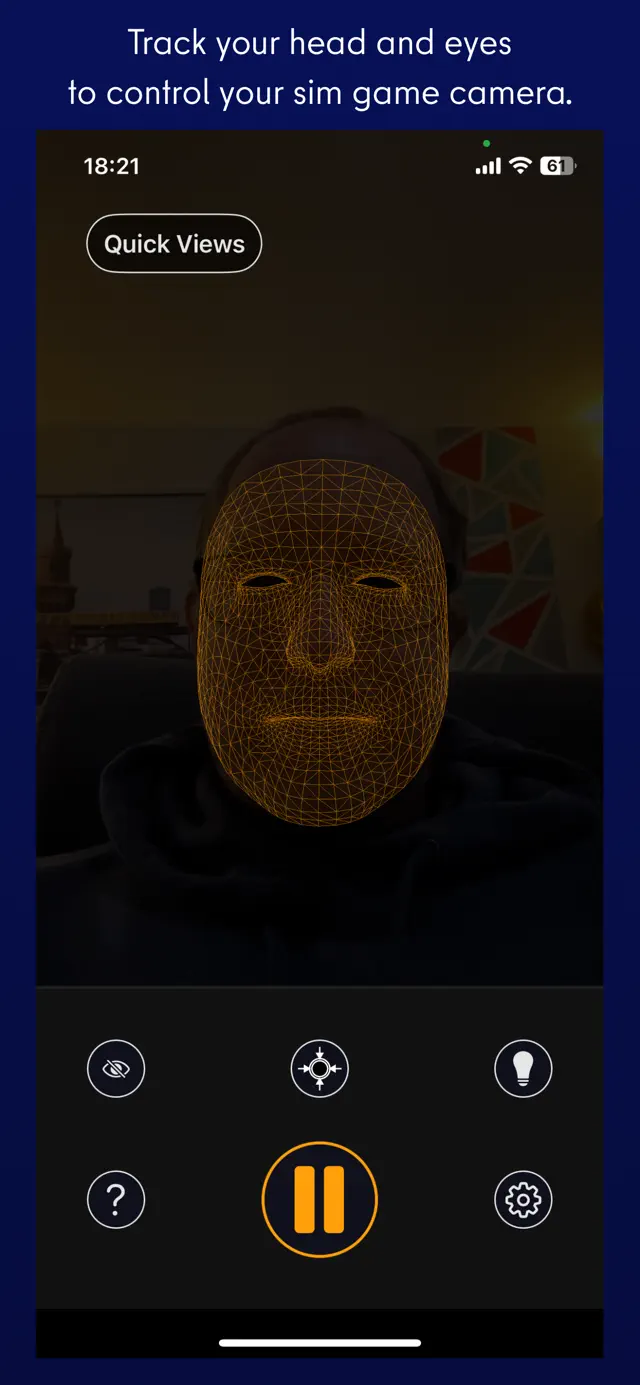
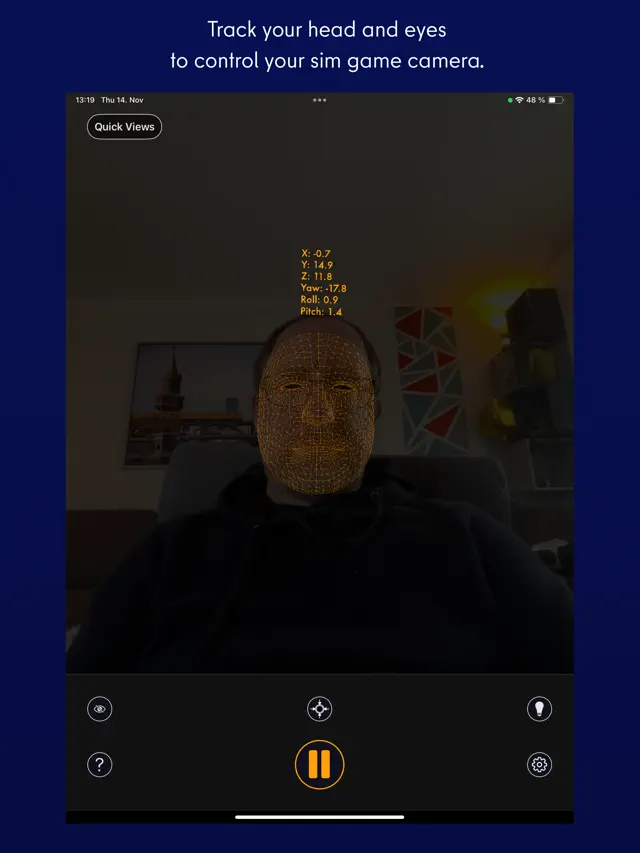
SmoothTrack provides affordable, professional-grade head tracking for PC simulation games. By utilizing your device's front-facing camera and AR capabilities, it tracks your head's position and rotation, sending that data to your PC via Wi-Fi. It is compatible with OpenTrack and most major simulation titles.
Dinsun Expert Review
Our Expert Score
SmoothTrack is less of a 'game' and more of an essential tool for flight and racing sim enthusiasts. It uses the ARKit technology in your iPhone to track your head movements and translate them into a 6-degrees-of-freedom camera in PC games like Microsoft Flight Simulator or Euro Truck Simulator 2.
The amazing thing is how low-latency it is. It essentially turns your phone into a $150 dedicated head-tracking rig for a fraction of the cost. The setup is straightforward, and the ability to look around your cockpit naturally completely changes the immersion. It’s a must-have utility for anyone serious about simulation gaming.
Features
6-Degrees-of-Freedom (6DoF) tracking
Compatible with major PC simulations
Low-latency Wi-Fi connection
Easy-to-use interface
Tips & Walkthrough
Ensure your phone is mounted centrally and your face is well-lit. You will need to install 'OpenTrack' on your PC to receive the tracking data from the app.
Gameplays
Use the curves in OpenTrack to adjust how much your in-game head moves. A small physical movement should allow you to see behind you in the cockpit without straining your neck.
Screenshot


Q&A
It works best with moderate lighting. If it's too dark, the ARKit may lose tracking of your facial features.
Ratings & Reviews
Who knew flying could get any more fun?
Mon Feb 21 2022 hsi egg brjdhI have been a pilot, both fixed-wing and rotary-wing, in an Arma 3 unit for a while now and my biggest gripe with flying was the lack of visual information without using a head tracker. I use a joystick and to free look without this app, you need to take your hands off the stick to go to the keyboard and free look. This is extremely dangerous as you lose all of your fine controls just to take a look at where you need to land. I’ve looked into getting TrackIr but those options seemed too pricey to get in my opinion. This app is at the perfect value however. $10 is such a good price for what you get. While still rough around the edges, (not of the fault of the devs but from limitations of the system being from a phone) I think it does the job well. The customization both in the app and in Opentrack helps alleviate some of those issues. Overall I think any pilot should give this option a shot if they are interested with a head tracking system and don’t already own TrackIr or other alternatives.
Works Great For Microsoft Flight Sim
Wed Sep 30 2020 Andrew_172This is the first experience I have had with using head tracking of any kind, but it works fantastic. Right out of the box the range of movement that is detected is actually very impressive. Looking around feels great and there's no perceivable input latency. Without messing with any in app settings I can lean close, look down, and access all of my aircraft's systems. This is huge. No longer do I have to take 15mins to keybind stuff for every aircraft that I fly. It is liberating, allows for more flying, less keybinding, and has seriously improved my skill in sim flying. The setup wasn't too bad either, my only advice would be to make sure you can port forward with your networking setup (this is a must unless you're going to use the desktop app standalone with a webcam). It is astounding that it works with Microsoft Flight Sim with zero setup in the sim itself. I cannot speak enough praise for this app.
One of the best add ins for flight sim
Fri Apr 21 2023 GeofaAs a former rw pilot of 22 years and avid flight summer in the past after a 10 year hiatus I broke down and got a new computer and msfs 2020. When setting up with latest hardware and some ancient the sim still didn’t feel real. As a past user of tracker ir I thought I would give this app a try. After a challenging setup mostly due to windows 11 idiot proofing thanks to the great help files included with the app got it up and running. I am not exaggerating that the realism of the sim went up about 80%! As a former user of tracker ir this does it all with no wires and no headset. With an iPhone stand I have my phone charging on a great almost unseen place to the left of my velocity yoke and this thing just works-perfectly. One of the best most useful add ins for flight simulator! Extremely happy!
Perfect for my needs
Sat Nov 16 2024 ScopeSuxThis is an excellent app and does exactly what it says it will do. The setup is minimally complicated as long as you follow the instructions. I’m using it with an iphone 14 plus and it tracks way better and with a larger range than my trackIR ever did. It doesn’t lose tracking even when I’ve turned my head away from the screen. I’m using the USB mode, I haven’t tried the network mode yet. It works great with my gaming laptop so I can use head tracking on the go. It works so well, it inspired me to model and 3d print a holder for my phone to hang on the back of the laptop screen. Entirely worth the purchase! If you play flight sims, having a head tracking solution is amazing. It’s like the difference between using a joystick+pedals vs keyboard and mouse.
Easiest 5 Stars I’ve Given
Tue May 31 2022 Coalbus1 hour in Elite Dangerous with SmoothTrack head tracking and I’m already going to give this 5 stars. I was unsure at first when walking around in a station but as soon as I got out into a resource extraction zone and could more easily see asteroids and keep track of combat targets it felt completely natural. Even before head tracking I was already moving my head instinctually in the direction of what I wanted to see better, this just gives you the in-game feedback that your brain expects. It’s so natural feeling. Setup was dead simple if you’ve ever used a computer before and the app does exactly what it claims to. Could not be happier.
App Freezing
Sat Dec 24 2022 Pineapple NationSo far the app is definitely not bad but seems a bit buggy. I am using an IPhone 8 so that may be the issue but Im not sure. Basically the problem I have is that the app freezes when I try to interact with the axis sensitivity and/or the start/pause button. When this happens the tracking stops working and I have to restart the app to fix it. Its not a massive issue because I can use opentrack to edit sensitivity but it is pretty annoying still. I also find that when turning my head (yaw axis) the app will think I am also pitching my head down (causing me to look to the side and down in game). This same thing happens with the roll axis (when I “yaw” my head the app thinks i am “rolling” also. Anyways most of these issues are manageable with the right settings in opentrack, but any feedback from the developers would be greatly appreciated
Well worth it
Thu Jan 09 2025 Dark AtenRecently I have been looking for a way to enable my ability to look around while playing Elite Dangerous. I have a HOSAS setup but really wanted the ability to increase my visibility especially when in combat. I looked at a VR headset but didn’t really want the stress on my neck. I ran across this app referenced on Reddit and thought I would give it a try. I’m really happy with the results! Love that I can look around my cockpit while flying. Added immersion for only $12! The app was pretty easy to configure and just worked once I was in game. I do occasionally have to recalibrate but that is probably due to me slightly adjusting y chair as I play. This works by connecting your phone to your computer via USB or WiFi. I’m using WiFi and have found it to have great performance. The app will work with your phone from multiple angles. I sit my phone on a charging cradle on my desk for tracking which not only helps keep my phone charged but keeps the phone at a good consistent angle for viewing my head movements.
Works great!
Sun Aug 21 2022 iC_FR0STI knew about this app for a while before getting it but I was pretty skeptical at first. But I finally decided to try it out and I'm very happy with the results. I used to run AITrack and OpenTrack in DCS, Elite Dangerous, and War thunder, but that felt glitchy and spastic at times. Plus if I looked over my shoulder in a game and looked forward again, I felt like I was fighting AITrack to look where I wanted. But with this app paired with OpenTrack, I didn't feel like I was fighting the tracker at all. It was very smooth and fun to use and contrary to some of those critical reviews here, it's not that hard to set up. 10/10 would definitely recommend
News found!
 This head tracking phone app works with Microsoft Flight Simulator, and now it’s on Android
You can use SmoothTrack with any game that supports TrackIR, including Flight Simulator.
PCGamesN Wed Apr 28 2021
 This $10 head-tracking app makes Microsoft Flight Simulator easier
SmoothTrack for Microsoft Flight Simulator turns your iPhone or Android device into a head-tracking tool. The $10 app might be the best...
polygon.com Wed Apr 28 2021
 SmoothTrack: Head Tracker by John Goering
SmoothTrack uses the AR capabilities of your phone to provide the simplest and best head tracker for 6 degrees-of-freedom head movements in your sim games.
AppAdvice Thu Oct 28 2021