Rhythm Cat - Read Music
Learn to read music rhythms
Ratings
Age
4+
Category
Music
Languages
English
Fri Jun 24 2022
- Fixed timing issue

Rhythm Cat is an entertaining game designed to help students of all ages learn to read basic music rhythms. With 60 levels that increase in difficulty, the game was developed in collaboration with professional musicians and educators. It provides a fun, interactive way to master rhythm notation while listening to engaging background tracks.
Dinsun Expert Review
Our Expert Score
Rhythm Cat is a fantastic example of 'gamified' education. Teaching someone to read music notation is usually a dry affair, but by turning it into a rhythm-based tapping game, it becomes genuinely fun. The cat-themed presentation is adorable and makes the learning process feel less intimidating for beginners and children.
The progression is well-paced, starting with simple quarter notes and moving into complex syncopation and rests. What I appreciated most as a reviewer was the accuracy of the engine—it truly requires you to stay on the beat of the high-quality backing tracks. It’s an essential tool for music students that bridges the gap between a textbook and a real instrument.
Features
60 levels of increasing difficulty
High-quality music backing tracks
Educational content for all ages
Simple one-button gameplay
Tips & Walkthrough
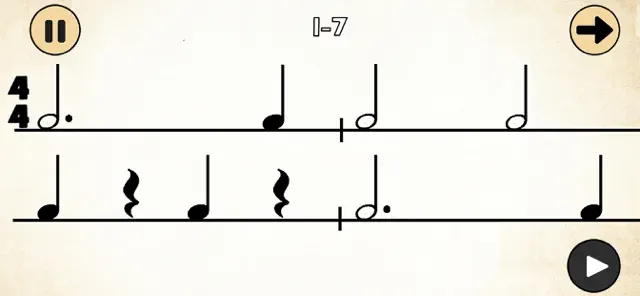
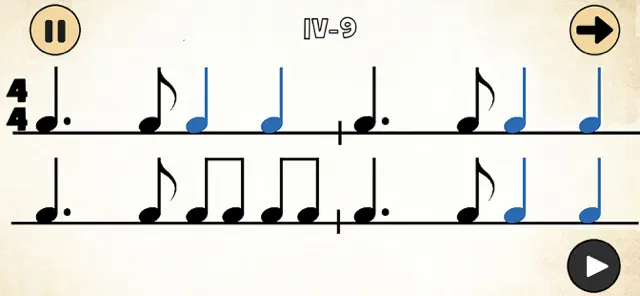
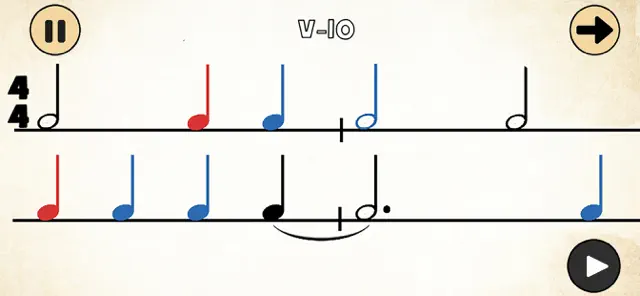
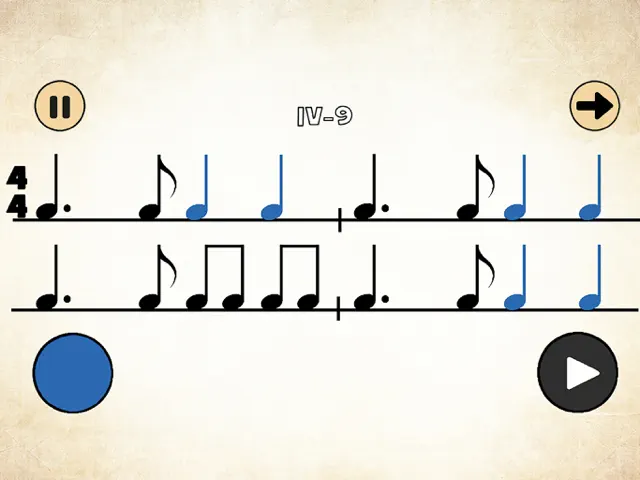
Follow the bouncing ball and tap the button in time with the notes on the staff. Pay close attention to the 'rest' symbols, as you must not tap during those counts.
Gameplays
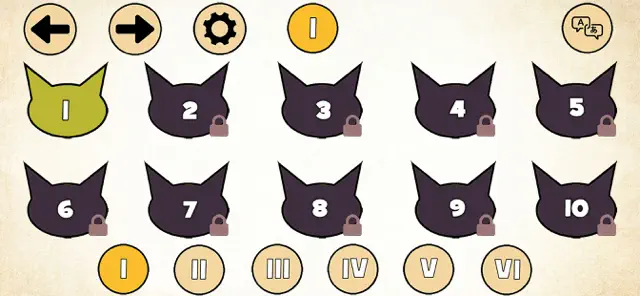
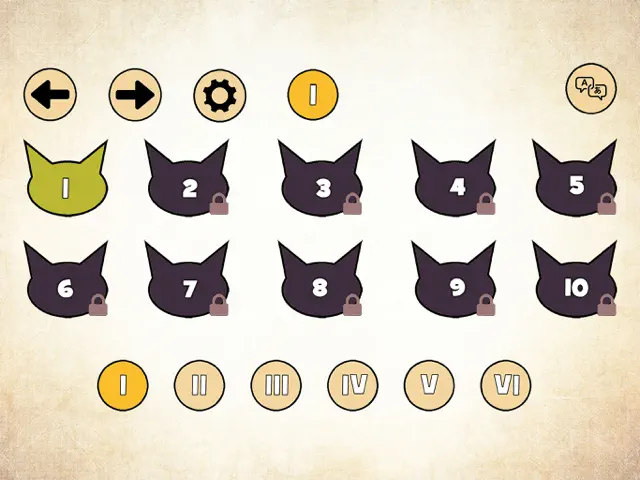
Each level introduces new note types, from whole notes to eighth notes. Score high enough to earn three stars and unlock the next set of musical challenges.
Screenshot



Q&A
It starts with the very basics, making it perfect for beginners, but the later levels challenge even seasoned musicians.
Ratings & Reviews
Excellent App!
Thu Aug 29 2019 Pi4n0 TchrThis app does a wonderful job with song selection and varied rhythms. I appreciate the use of well-known tunes. I also like that the rhythms appear visually in meter, with measures. The only reason I am not giving it 5 stars is that I discovered an issue with my colorblind students, who cannot distinguish which notes go with which button. I wonder if there is an equally distinct choice of colors that would be accessible to most forms of colorblindness. I also would suggest, if possible, the option of slowing down a piece...or maybe the opportunity to practice it. Very happy with Rhythm Cat, and am using it in my teaching.
no instruction
Fri Sep 20 2024 ASL4Uiʼ̱ trying to play this game but dont really know what i need to do to “pass” a game. I have figured out that Iʼm supposed to touch the note that will play… it took me a few random tries to figure out that Iʼm supposed to touch and hold on a note if its dotted, half or whole. but i do not kniw wha Iʼm supposed to do with the rests. am i supposed to touch them (to note I saw them and have counted) or am I supposed to NOT touch them and just count. I am on the fourth or fifth melody -and I cannot pass it -and I dont know why. I just keep playing it and trying -but the notes dont show me if Iʼve succeded with any of them or not and no indication that i missed something so dont kniw why Imm not passing this one. its so early in the game Iʼm not sure if theres a probelm with the aop itswlf or if i (with all my 60 years of music) actually dont u derstand rhythm… and if thats true -glad to learn -now -here -but how? if i dont get any feedback that tells me what i need to do to get through this piece. an exercise in insanity
Picky picky! But aesthetically wonderful.
Tue Nov 27 2018 Sourdough LadyI got this app for my kids to practice rhythm. I really love the variety of music that sets the background for the exercises. So much nicer than clapping rhythms to a metronome. The one thing I wish the app included was a review of the exercise for the player to see which rhythms were missed. The standard is stringent: it is a stickler for holding notes for their full values and attack precisely on time. However, it’s hard to know why reasonable attempts are rejected. Is it that inadequate pressure was given for a particular beat, or is the player just not hitting the sweet spot on the answer pad? Or does the developer want people to practice each rhythm multiple times for mastery? Regardless of why, practice never hurt anyone, though some students might get discouraged.
This is a great app for young music studies and adults
Sun May 07 2017 zKnittingCellistI teach private music lessons and was on the hunt for fun music reading games to which I could refer my students - both young and old. This is perfect. Before I could in good conscience refer this game to my students, I had to play it all the way through. My only criticism is that there is very little instruction once you make it past the first set of levels. I, as a teacher, would love to see more instruction with the syncopated rhythms - possibly an audio/visual example. Still, I will now be able to refer my students to this app as a fun way to practice rhythm. I also tried the bass cats game... that one is even better I think.
Rhythm with my kids
Thu May 03 2018 svenseverinWe love this series of apps. My kids and I just finished this app. It’s fun to try to count it out loud while playing. An update could have a recording of someone counting off each level maybe. Then again, maybe that would make it too easy.
Update needs work
Tue Oct 30 2018 QuixxxoticMy students have LOVED this game over the past couple years, but now they complain about the sluggishness between screens and we do not like the new scrolling feature where the student must move their eyes quickly back up a line, whereas before the entire rhythm could fit on one page. Colors are duller and not as many fun cats on the screens! :(
This could be wonderful!
Mon Oct 01 2018 DDDDDDFDDDDZThis game is a lot of fun until you hit a level where it is impossible to pass, not because the rhythm isn’t executed properly but because the program doesn’t quantize the answer properly. It would be helpful if there was an option to change the tempo of the music to help a student achieve a challenging level.
Potentially great
Fri Sep 20 2024 Chensa12My students love these games up through level 2. But there are several games after level 3 that continue to say”try again” despite playing it correctly. It would also be helpful to adjust tempos. I doubt if I could fully use this with my students.
News found!
 Rhythm Cat 2 by James Uhart
Learn how to read music rhythms with Rhythm Cat 2 - a fun app that follows on from where the popular first one left off - with more rhythms...
AppAdvice Fri Jul 29 2022