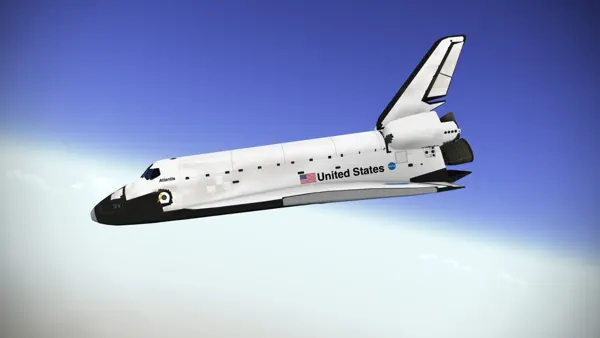
F-Sim Space Shuttle
Simulation
Ratings
Age
4+
Category
Simulation
Languages
English
Tue Dec 30 2014
This app has been updated by Apple to prepare for watchOS 27 compatibility. No new features are included.
This is a relatively minor upgrade. New features include
• support for iPhone 6 and iPhone 6 plus screen resolutions
• enhanced user interface on iOS 7 and iOS 8
• a new replay manager: F-Sim Space Shuttle now stores replays of the 10 most recent and the 10 best flights. You can watch them later or save them as video
• MFI game controller support. Tilt controls are still the preferred way to control the orbiter, but if you have an MFI game controller, you can now use it as an optional control input (switch to analog controls in the options menu when your game controller is connected)
We hope that you like this update and kindly ask to rate or review it in the App Store.
We are already working on a major update and on a new flight sim app. Stay tuned!

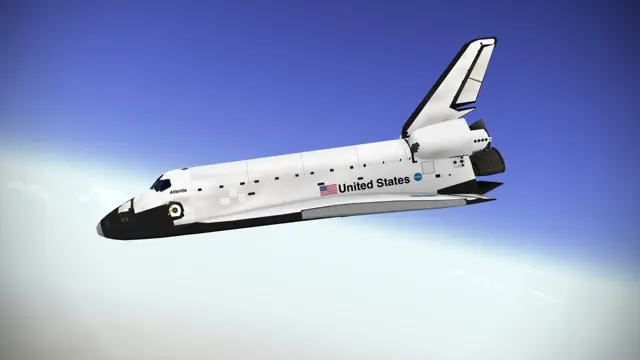
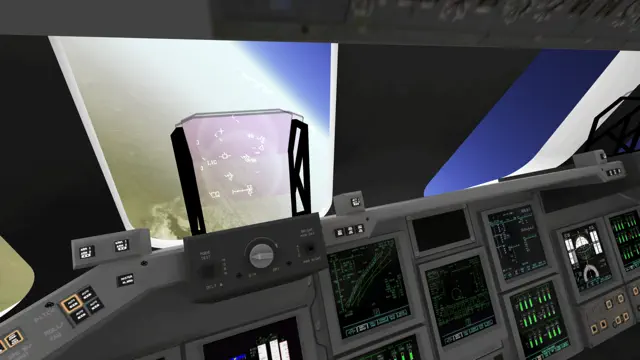
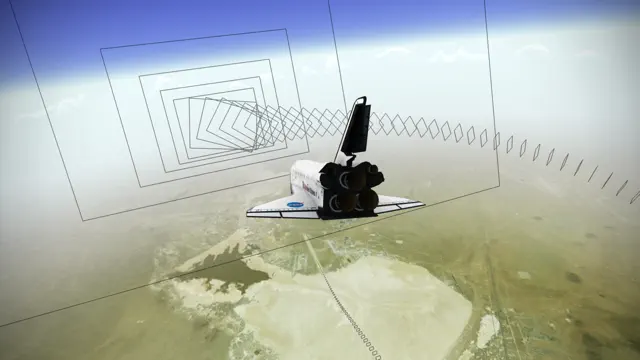
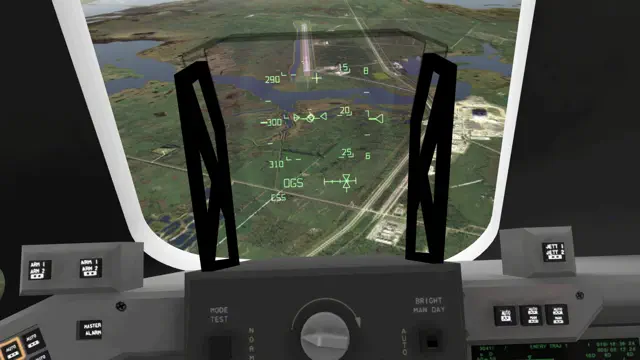
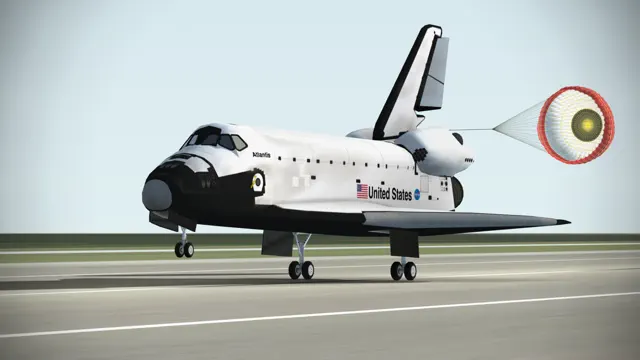
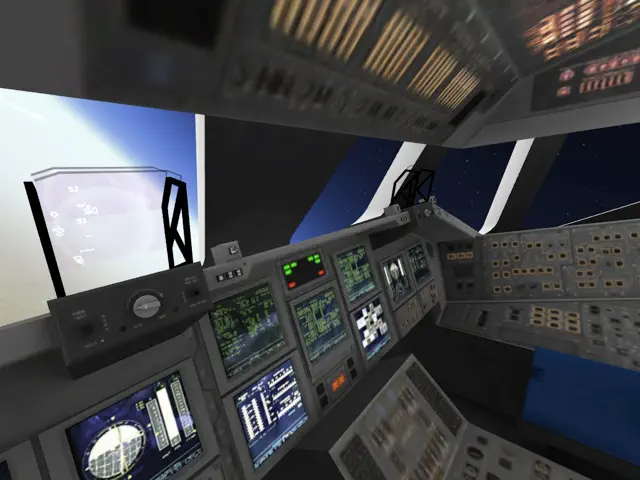
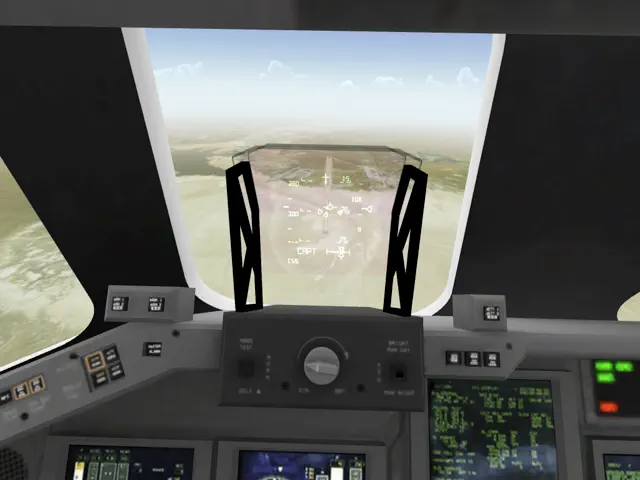
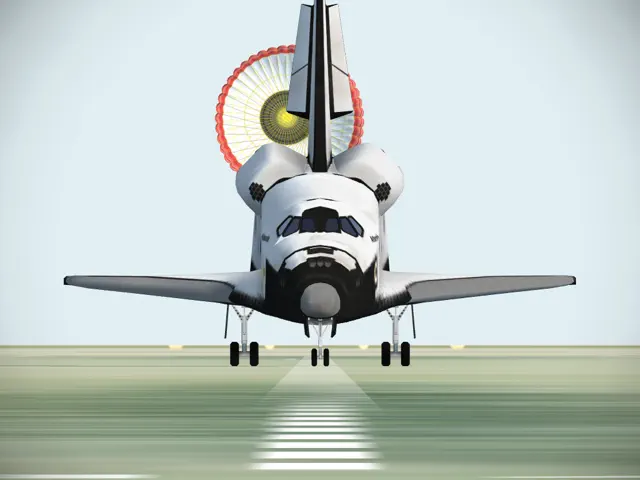
F-Sim Space Shuttle is a highly acclaimed flight simulator that puts you in the pilot's seat of the NASA Space Shuttle. This app focuses on the 'Approach and Landing' phase of the mission. Featuring incredibly detailed 3D graphics, realistic flight dynamics, and a full HUD, it challenges you to land a multi-ton glider safely from high altitude.
Dinsun Expert Review
Our Expert Score
F-Sim Space Shuttle is a triumph of simulation on a mobile platform. It’s rare to find an app that treats its subject matter with this much reverence and technical accuracy. This isn't an arcade game where you just point at the runway; it’s a grueling, high-stakes landing procedure that requires genuine focus.
The visuals of the Earth from the cockpit are breathtaking, and the HUD (Head-Up Display) is modeled exactly after the real shuttle's systems. When you finally touch down at Kennedy Space Center without bouncing or veering off the tarmac, the sense of accomplishment is immense. It’s the gold standard for flight sims on iOS.
Features
Photorealistic 3D graphics
Accurate flight physics and HUD
Day and night landing missions
Interactive replay system
Tips & Walkthrough
The shuttle has no engines during landing; it’s a glider. Watch your energy levels carefully. If you're too high, use the speed brakes; if you're too low, you won't make the runway.
Gameplays
Once you master the day landing, try the night mission. Relying entirely on your instruments and the runway lights is a completely different challenge.
Screenshot


Q&A
Yes, F-Sim supports MFi controllers for a more tactile piloting experience.
Ratings & Reviews
Fun, BUT
Thu Jul 23 2015 SdrawkcabSolracIt wants me to buy it again... I got tired of it after a while and decided to take it off my iPod (I played it more than I should have lol). I was going to download it again but the little cloud with the arrow wasn't there. I tried and it asked me for $$$. Ok, maybe I bought it with a diff account? Nope, I checked other account and same thing. I KNOW I paid for it because it was the 1st thing I got with an iTunes card (AppStore cards are too mainstream). No need to say how I feel, pretty sure you guys know. This has only happened with another game (Airfighters Pro by ROTORS or RORTOS). I still give it five stars because this problem isn't related to gameplay. Not telling you guys not to buy it but please be careful when you get it (get some proof that you got it. I usually take a screenshot of the electronic receipt but I went idiot-mode and deleted this game's receipt so I'm screwed lol). Gameplay: The ONLY reason you're gonna get bummed with this game is because you're gonna wish these developers made sim for airplanes. It's that good.
Remarkable.
Sun Sep 27 2015 Q4242The most realistic flight sim in the app store, period. This is the exact approach and landing that the shuttle flies (oops, flew). The developer nailed the shuttle's HUD perfectly. It's not just some generic cut-and-paste HUD and flight profile like many sims throw in their half-baked shuttle add-ons (*cough* x-plane). This is an inch-perfect shuttle HUD reproduction. The flight profiles are also beautifully accurate. You can choose different approach directions, HAC profiles, runway direction, and weather conditions. This allows you to actually recreate historical landing conditions and fly them as they originally did. Because of all this, this app is also a major challenge. In the four years I've had this app I've made thousands of landings in varying conditions. It took a long time to be able to make consistent "good" landings, and even now "perfect" landings still aren't a guarantee. Simply put, this sim is remarkable. A BIG Thank You to the developer and his team! And I'm looking forward to that X-15 sim!
Just What I Wanted
Sat Sep 29 2018 sirka67I’ve wanted to buy either a space shuttle simulator game or an aircraft carrier game for a while. I don’t mind if I had to pay for it. I finally looked around and came across this one. The reviews (which didn’t seem like they were b.s. or written by friends or family), were pretty good so I ended up buying this last week. After making only one landing out of my first 25 attempts, I can fly this thing but it will take me time to land this safely. I’m glad it is difficult because I didn’t want to be bored so fast. I’m hopelessly addicted to it and make myself stop playing. The only thing I will never get is the technical terms in the help section. I understand some of it, but I’ll have to read the other stuff a few dozen times before it sinks in. Besides, there’s so much going on just trying to fly straight that it would be impossible to take all that data in.
Best App on my iPhone and iPad
Tue Jul 07 2015 BrianKInAppTownSimply put, this is the best game I have downloaded for my iOS devices. I bought this game for my iPhone 4 shortly after it was released almost five years ago. I have since owned several iPads and iPhone and currently have the iPad Air and 6 Plus. F-Sim Shuttle looks and plays great on all of them. This App has been updated frequently. The graphics and realism are stunning, especially for a portable device. I am a commercial rated pilot and while nothing compares to the real thing, this is hands down the best flight simulation app out there and I have tried several flight apps and simulator for iOS. The scoring system is great and has become more challenging through updates, but the challenge keep me coming back even after five years!
Fantastic!
Tue Jul 30 2019 Jody319I recently went on vacation in Florida, and of course I went to the Kennedy Space Center. The “Atlantis Exhibit” was breath taking! So, imagine my elation when I saw this game, (about a month later), and purchased it. The graphics alone sent me on vacation all over again! The game play takes a steady hand, but I really enjoy the challenge it presents. And the fact that you can view your most recent attempt at landing this thing is quite the bonus! I am really enjoying this game; so much that I made reservations for me and the little lady to go back down to Florida again in December to see “Atlantis” again!
One Healthy Addiction
Thu Aug 15 2019 Brimac7I’ve experienced this app on an iPad a few months back and after an hour of landings was beyond hooked. Honestly I found the iPad an easier tool for successful landings than I am experiencing with my iPhone. I don’t know why and won’t venture a guess but short of sitting next to a simulated crew member during descent and upon stop, opening the door and walking down the ramp to the tarmac with them and waving at the TV Cameras in the distance this is just a blast of game that requires you to pay attention, focus, think, learn new skills and have a blast all at the same time.
Excellent ! Very realistic and fun.
Sun May 27 2018 ccblack120Buy this app if you want a very accurate Space Shuttle Simulator. Flight model, sounds and scenery are spectacular. Works great on my iPhone 7 plus. Lots of options to adjust controls if needed. You can replay your landings for review, you can also record the videos and save them to your photo file to share with friends. Very cool. I've made about a hundred landings so far and it's still difficult to get it right ... very realistic. Choose between landing at Edwards or at the Cape. Day or night, clear or bad weather. Five Stars all around !
Best space shuttle sim
Fri Sep 14 2018 wikoli_vmsI first tried this sim a few years ago on my Samsung tablet, very good graphics, good sound FX, and controls are basic. Although the sim is limited to flying the final approach it requires a lot of practice & patience to at least survive a landing. Now with an IPad, I purchased this sim to see if I could get a Perfect landing but without success. But that’s the attraction of this sim. I like the new updates for the sim with the option to manually operate certain controls, and to save your best landings. Best of all the developer is still improving this sim.
Some Youtube Videos found!
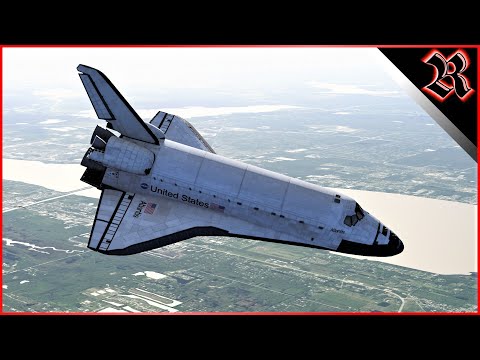
I Landed The Space Shuttle At Kennedy - YouTube

Land the Space Shuttle - 4K Mobile iOS Android - iPhone Pro Max - Re-entry - YouTube
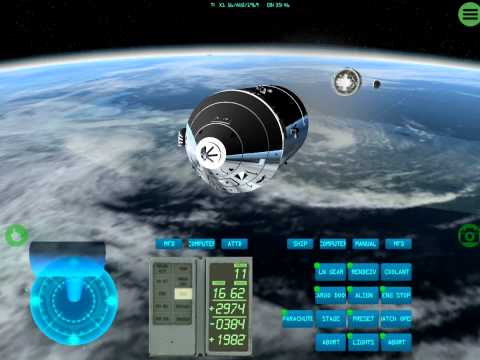
iOS Space Simulator - Apollo & Space Shuttle On iPad - YouTube

My first shuttle landing in F-Sim | Space Shuttle 2 - YouTube
F-Sim | Space Shuttle 2 Trailer (iOS & Android) - YouTube
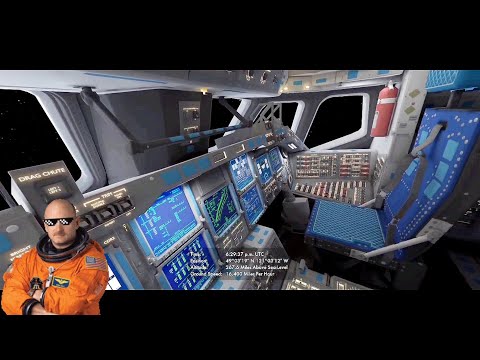
In the cockpit of the Shuttle in Earth orbit | F-Sim Space Shuttle 2 - YouTube
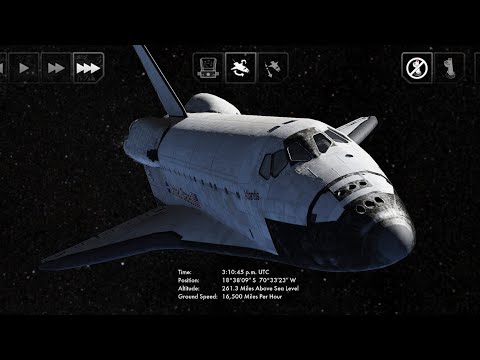
Orbital flight in F-Sim | Space Shuttle 2 mobile simulator - YouTube
Shuttle Landing Simulator For Android (also iOS) - YouTube
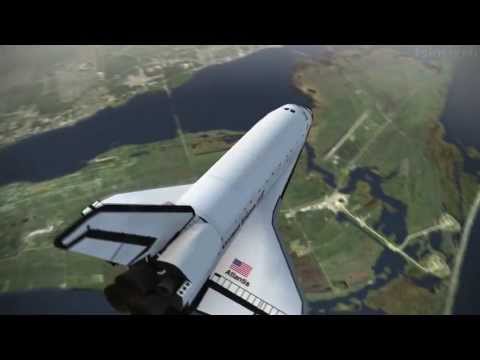
F-Sim Space Shuttle Landing - YouTube
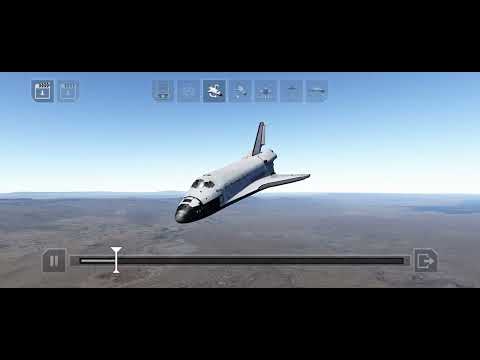
F-Sim Space Shuttle 2 - Good Landing by Dante Lancaster 20220205 - YouTube
News found!
<a href="https://news.google.com/rss/articles/CBMiZ0FVX3lxTE1PcmpUVGx5S19NdmZjbzFaMjFsQWd5N2lTaV9ESGpLZGxwd1Y3V0JkMU1PYkxZb2ZUTjdrdEppOGtEckM0bWVEWVo3WlRFdTV5aC11S21ETllUYjV0VmdtRUdKT2FLdW8?oc=5" target="_blank">„F-Sim|Space Shuttle“ von Mario Cada – dasauge®</a> <font color="#6f6f6f">dasauge</font>
dasauge Tue Jan 10 2023
<a href="https://news.google.com/rss/articles/CBMixgFBVV95cUxPdUlzYkF6TlE3eTFBcmFiVWNITVZkeHZkeURmMk5aNzlTMDNlQlE4emp6bzRVM3d2d2YtVXFiUWdQbloteEpjdXhSc1pmejgyNFFXUVplOTZRWng4UVJBZllFTGxqczZwNWlVQkpqbmR0aXFfQk9mWXliOVN4YzVTaGRNVFlUSldEOXUzLXpSdzc0TThYTjMzYUNYUTI5UHhHdHhTZkt2QkNldjdreUFHdTFIQkl2ZWM5STFHLV9TY0pCZ3pLQ2c?oc=5" target="_blank">The Best New Games for Android This Week – Alien: Isolation, Nekograms and More</a> <font color="#6f6f6f">droidgamers.com</font>
droidgamers.com Sat Dec 18 2021
<a href="https://news.google.com/rss/articles/CBMiogFBVV95cUxPY0NNSndiNXZYRVNGVU5oYUhZdlFzVmRWeW5tUFp3UVdBRXdOQWZVTDhDSmQ1WFJ4cWJoOTM3UGJVbHpYc1F0Nm5mYXctaTA0WkxkM3JISmt0bTBjdXd0cWdGTVV4MWd2X1BuYTNaZEZJVmZ2SXlzTmhVdlAtNzBDZ3RoSTViZi1nenJiMDF1NUFTYm9OR2tfbTh6X0cxb1hUMGc?oc=5" target="_blank">F-Sim Space Shuttle 2 lets you experience realistic flight mechanics, out now on iOS and Android</a> <font color="#6f6f6f">Pocket Gamer</font>
Pocket Gamer Tue Dec 14 2021
<a href="https://news.google.com/rss/articles/CBMiygFBVV95cUxNTWJHZnRjS3hrZ1UwaFBTZlRJYmFWaEF6YXgxZVBTbGZTckZhRlhSLVB2eVViOXFUS1dXM0tXX0R2SnJvZFROUzRCRHo0RVNGUDNld1BGR3k5SWtJWXI1VHFIcjNYcGZtTWEtb2c2VjRveDJ3RzNmc0x1MUdnZ1dUZ2F1Y25KcnJGdDEwM1FrUUxlOHk3S1d3Um9qMW1pcWpneUJPcUpROFRMdGRkWldkSWhvUjRNbW1ESUxfVnFGNkhWV1FHVUJiMGRn?oc=5" target="_blank">F-Sim Space Shuttle 2 is a realistic flight simulator that's launching on iOS in early August</a> <font color="#6f6f6f">Pocket Gamer</font>
Pocket Gamer Mon Jul 26 2021
 F-Sim Space Shuttle - обзоры и оценки игры, даты выхода DLC, трейлеры, описание
Описание и обзоры, даты выхода дополнений (DLC) к игре F-Sim Space Shuttle Ledinsky Software GmbH,SkyTale Software GmbH, платформы, официальный сайт.
Igromania.ru Wed Jul 29 2020
<a href="https://news.google.com/rss/articles/CBMisgFBVV95cUxPNUZEc0o3TUZwZTRNc1pjeWhYQmFSMWJPM01LRDRmelNuNjg2cThqNWh0Mm9kLVA4dVQzelp1TnRvTHAwdmNqekxtTXBMTVBoc3pidUFnSnk1VWtsc0g5M2g5ai1CZUxpVXFiLTVKLTV5bjVlQVc4OHZQanlpN29qWExIUFI2SzJmaUV6ZGJMQno0UjktMi1EckRDQWVYSWdnS09vOHlvY2ZWN2hoQjJHSXN3?oc=5" target="_blank">Simulation games for Android and iOS that (almost) feel like the real deal</a> <font color="#6f6f6f">phonearena.com</font>
phonearena.com Thu Aug 14 2014
<a href="https://news.google.com/rss/articles/CBMimgFBVV95cUxPUHhmRmFBbmVnWEhEcEs5VWpRZEh5LTRQSW5nNEVzYUU2Uk02eFl4Vk14WVlzdHF0UndycWVTSDhhRVJWYnA5Ml95dUxwT0NGZkZIUENPMmVueGxJb1hwSXNBc3hsdkJiRXdNVlp0am1FeEZqT0h3aExUc2lqT0ptekwxd3VjdXEyVlBZd0pXUXRWdUlPWHhZTVFn?oc=5" target="_blank">Video Game Nostalgic, and Gloriously Lost in Space (Published 2014)</a> <font color="#6f6f6f">The New York Times</font>
The New York Times Wed Jan 08 2014
<a href="https://news.google.com/rss/articles/CBMisAFBVV95cUxPcXA1eUtSRm1ablRKdXFwUkZFVndtTGhZeElkdW56VllETXdsT0lodEZ1MVJJZ0ZkMWpXM0t3V2JPS1FDdkF0QjI1MnJycEQ3ZVdnc0c4UUZOVWpIMlo2bEtkSzRlRE1KcjJyMUJ0REF4MWhEY1luanJzTDdlTGZVd2F3LU9PeEwzcXAxT01XZ0ZKTklrY3hncVVlR3o1VTc1NVowZ1pVVU96RWJLYXBZRQ?oc=5" target="_blank">The State of Smartphones in 2013, Part II: Would you like to play a game?</a> <font color="#6f6f6f">Ars Technica</font>
Ars Technica Mon Dec 02 2013
<a href="https://news.google.com/rss/articles/CBMie0FVX3lxTE9MTEM4VXlwU0VuQkxYd0haeFk4MXczVzVlNGl3aEZSWXRTX1F0Uy1STUFDWEI1SFNKcmNncUg1NFhBMWVQR0R4MTRhTzdIZDdLc0R5angzZGlLcDNMaWZtc2R3cjBUWmJZdjVBWERkaEs4SDJQazNGcDV0Zw?oc=5" target="_blank">The Best iPad Gaming Accessories</a> <font color="#6f6f6f">PCMag UK</font>
PCMag UK Fri Aug 19 2011
<a href="https://news.google.com/rss/articles/CBMilgFBVV95cUxNaGRFdUtsR1MyQUNWWXhuVFdYMUxZcm9Id0M4dFItYUEwc1JBRC1XV18wSFZ1cFFBTFJYN24tS2E3Y2oyQUt0OEV4SmNFOHRWRjR3akJIc1JtVlViMmtFWllJR09nZ20zY0pnNGxtdzN1U1dUS0xqQzBiOTBFaldqSGxKU2hvUEFtdUNCRTlrQ2ZZVWtrZ2c?oc=5" target="_blank">Flying NASA's Space Shuttle Simulator</a> <font color="#6f6f6f">Forbes</font>
Forbes Tue Jul 26 2011
You may also like


Aerofly FS Global

Carrier Landing HD


Armed Air Forces - Jet Fighter

RFS - Real Flight Simulator

